Understanding the MFC-J6720DW Features
Choosing the right multifunction printer can transform your workflow, but with so many options available, how do you know which one is right for you? The Brother MFC-J6720DW stands out in its category by offering a blend of speed, quality, and versatility. Let’s explore the key takeaways that can guide your decision-making process.
What You Will Learn
- All-in-One Functionality: The Brother MFC-J6720DW combines printing, scanning, copying, and faxing in a single device, making it ideal for diverse office tasks.
- A3 Document Handling: Its ability to print larger A3 documents caters to creative professionals and businesses needing versatile printing solutions.
- High-Speed Printing: With speeds of up to 22 pages per minute in black and 20 in color, it boosts productivity in busy environments.
- Cost-Effective Ink Solutions: The option for high-yield ink cartridges allows for significant savings over time, making it a smart financial choice.
- Robust Connectivity Options: Features like wireless connectivity, NFC printing, and mobile printing via the Brother app streamline workflows and enhance usability.
Understanding the Brother MFC-J6720DW Multifunction Printer
The Brother MFC-J6720DW is not just any printer; it’s a robust all-in-one solution tailored for various needs. This powerhouse combines printing, scanning, copying, and faxing functionalities all in one device. With its ability to handle A3-sized documents, it stands out in the market, making it a versatile choice for both home and office environments!
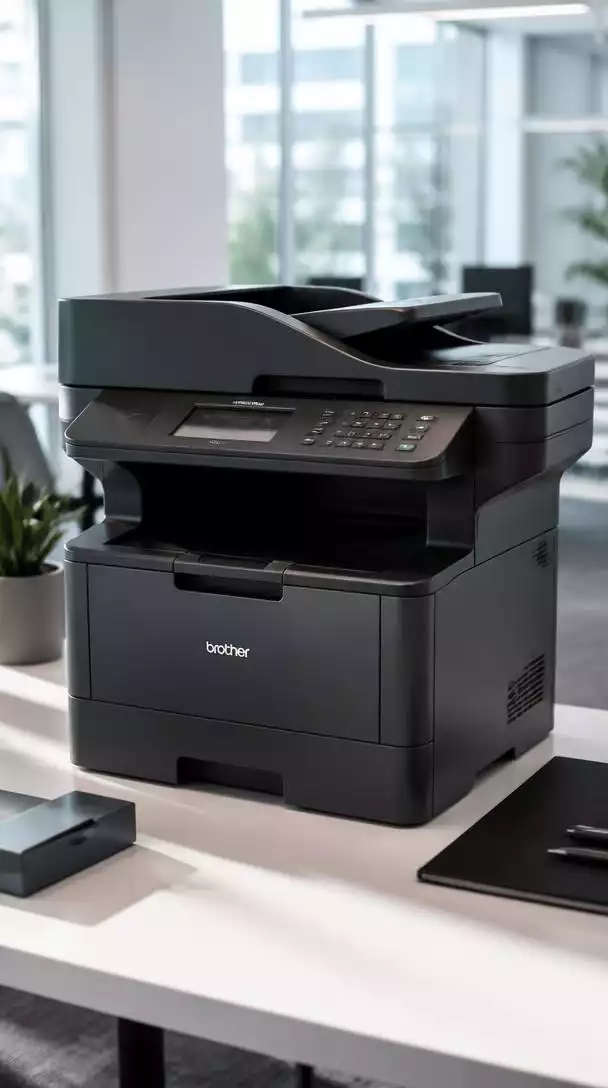
Key features include exceptional print speeds, high-resolution output, and an intuitive interface. This means that whether you’re printing a simple document or a high-quality graphic, the MFC-J6720DW delivers impressive results consistently.
An Overview of Key Features and Benefits
- All-in-One Capabilities: Print, scan, copy, and fax from a single device.
- A3 Document Handling: Perfect for larger projects and creative tasks.
- High Print Resolution: Produces sharp and vibrant prints.
- Fast Print Speeds: Increases overall productivity in busy settings.
With these features, the MFC-J6720DW is designed to meet a variety of printing needs, making it an excellent addition to any workspace. It excels in both quality and efficiency, ensuring that you can tackle any project with ease!
Who Can Benefit from the MFC-J6720DW?
This multifunction printer caters to a wide range of users. Small to medium businesses will find it particularly beneficial due to its capability to handle large volumes of printing while maintaining quality. Home offices can also take advantage of its all-in-one features to save space without sacrificing functionality.
- Small to Medium Businesses: Ideal for teams needing quick and efficient printing solutions.
- Home Offices: Perfect for those who work from home and require A3 capabilities.
- Creative Professionals: Excellent for designers and artists needing high-quality prints.
In summary, if you’re in need of a reliable printer that can adapt to diverse workflows and deliver exceptional performance, the Brother MFC-J6720DW might just be the solution you’re looking for!
In-Depth Specifications and Technical Details
Understanding the specifications of the Brother MFC-J6720DW is crucial for making an informed decision. This printer boasts impressive dimensions and technical details that make it a standout choice for users.
Product Specifications That Matter
- Dimensions: 21.5 x 17.8 x 12.5 inches
- Weight: 37.4 pounds
- Print Speed: Up to 22 pages per minute (black) and 20 pages per minute (color)
- Resolution: Up to 4800 x 1200 dpi for vibrant prints
- Paper Capacity: 250-sheet paper tray
- Memory: 512 MB
These specifications indicate that the MFC-J6720DW is built for durability and high-performance tasks, making it an excellent investment for those who need a reliable printing solution. For detailed product specifications, you can refer to the Brother support page.
Understanding Inkjet Technology in the MFC-J6720DW
The Brother MFC-J6720DW utilizes inkjet technology, which brings several advantages to the table. This type of printing technology allows for high-quality output and color accuracy, making it perfect for both text and images.
Moreover, inkjet printers are often more cost-effective in terms of the initial investment compared to laser printers, especially for small-scale printing. It’s also worth mentioning that inkjet technology tends to be more efficient when printing color documents, which is essential for creative professionals!
Connectivity Options for Modern Workflows
In today’s digital age, connectivity is key. The Brother MFC-J6720DW offers various connectivity options that streamline workflows and enhance productivity.
- Wireless Connectivity: Easily connect to your network and print from anywhere.
- LAN and USB: Multiple options for versatile connection.
- Wi-Fi Direct: Print without needing a router.
- NFC Printing: Simple tap-to-print functionality.
- Mobile Printing: Supports Google Cloud Print and Brother’s iPrint&Scan app.
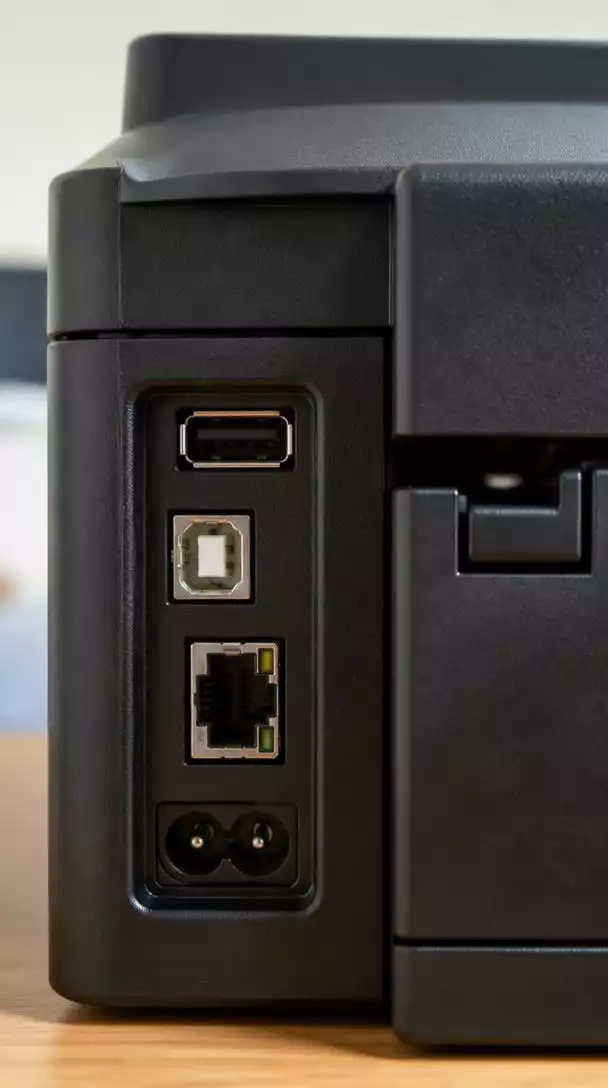
These connectivity features ensure that the MFC-J6720DW integrates seamlessly into your existing setup, allowing for a hassle-free printing experience every time! For further information on setup and connectivity, visit the Brother product support page.
We Want to Hear From You!
Considering the MFC-J6720DW’s A3 capabilities and various connectivity options, what feature do you find most essential for your workflow?
Making an Informed Decision About the MFC-J6720DW
Cost Considerations and Value Proposition
When it comes to investing in a multifunction printer like the Brother MFC-J6720DW, understanding the costs involved is essential. You’ll want to evaluate not just the initial purchase price but also the long-term value it offers. One of the notable aspects is the option for high-yield ink cartridges, which can significantly lower your cost per page over time.
Here are some key points to consider regarding cost:
- Initial purchase price vs. long-term ink costs
- Cost savings with high-yield cartridges
- Potential savings on paper due to duplex printing
By weighing these factors, you can better understand how the MFC-J6720DW fits into your budget and whether it meets your printing needs efficiently.
Is the MFC-J6720DW Right for You?
Choosing the right printer involves more than just looking at features. You’ll want to consider how the MFC-J6720DW aligns with your specific use cases and office requirements. Think about factors such as the volume of printing, types of documents you’ll be handling, and the operating systems you use.
- Volume of print jobs: Is it for a small home office or a busy workspace?
- Document types: Will you be printing mostly graphics, documents, or A3-sized prints?
- Operating system compatibility: Is your system Windows, macOS, or Linux?
By reflecting on these aspects, you can determine if this model is the right fit for your environment and workflow.
Frequently Asked Questions About the Brother MFC-J6720DW
What are the main functions of the Brother MFC-J6720DW?
Can the MFC-J6720DW print large documents?
What are the print speeds of this model?
Is the Brother MFC-J6720DW cost-effective?
What connectivity options are available with this printer?
The post Understanding the MFC-J6720DW Features appeared first on Printcom | Perth Managed Print Services, Printers & Support.
source https://printcom.com.au/understanding-the-mfc-j6720dw-features/

Comments
Post a Comment